
Inspect complete model context
Navigate model trees, search objects, isolate systems, inspect property sets, and coordinate federated IFC files.
- Geometry and properties
- Classifications and quantities
- Federated model review
View, review, and coordinate IFC, BCF, and IDS across SharePoint, Teams, Excel, Power BI, Windows, and the browser.
 Microsoft SharePoint
  Microsoft Teams
  Microsoft Power BI
  Microsoft Excel
  Microsoft Edge
 Navigate model trees, search objects, isolate systems, inspect property sets, and coordinate federated IFC files.
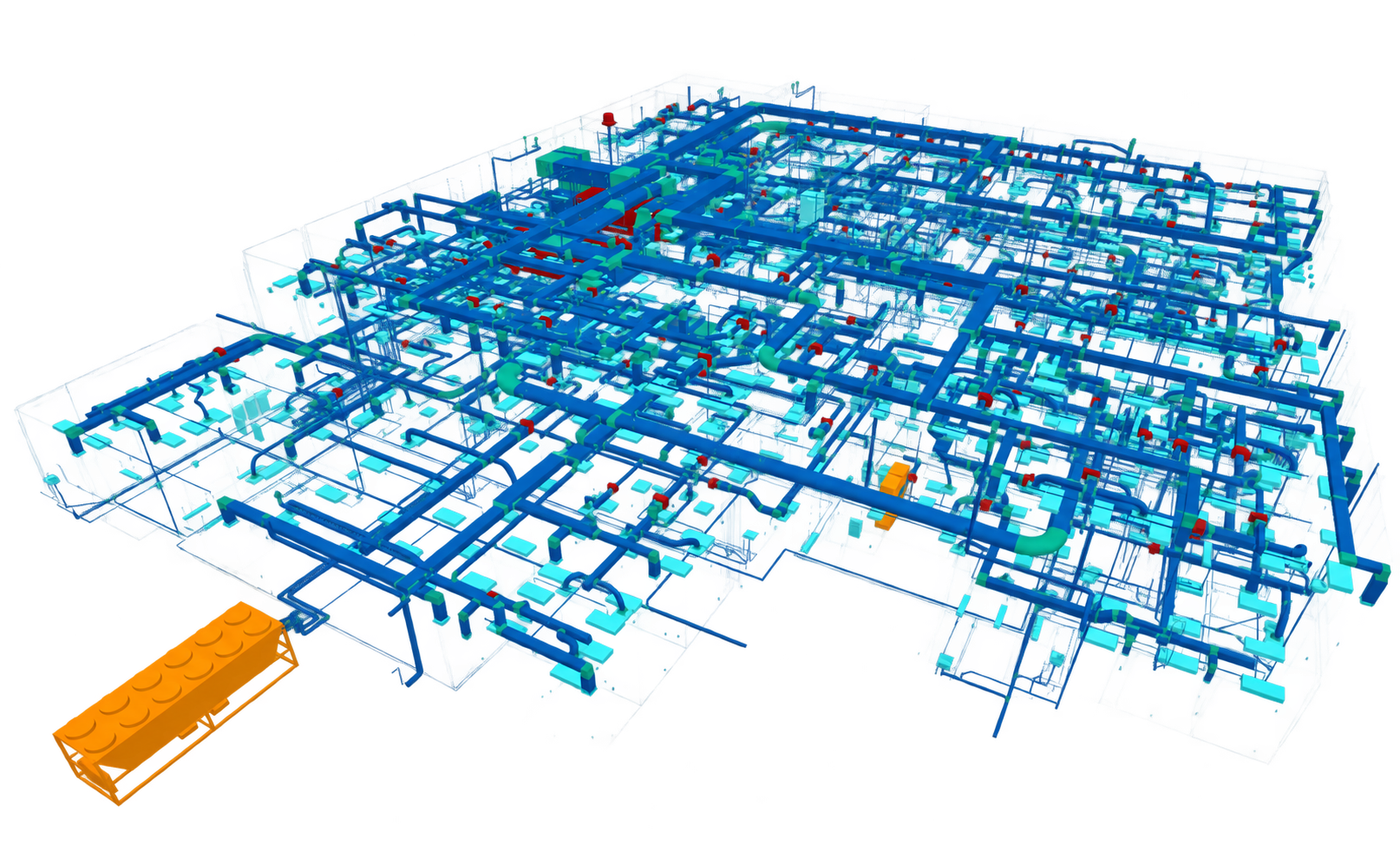
Navigate model trees, search objects, isolate systems, inspect property sets, and coordinate federated IFC files.
Keep topics, viewpoints, comments, and issue context connected to the exact elements being discussed.
Review information requirements and model quality before data reaches reporting, handover, or operational workflows.
Open the same openBIM information from the browser, SharePoint, Teams, Excel, Windows, or Power BI. The experience stays familiar while every role receives the model context needed for a decision.
Open multiple discipline models in one session and retain spatial, class, property, quantity, and classification context.
Create and review issue topics without separating viewpoints, selections, clipping state, comments, and model context.
Run information requirements against the current model and make failures visible to reviewers before delivery.
Open DXF files and overlay PDF drawings on your 3D model for review.
Use the viewer where teams already collaborate instead of moving project files to a separate BIM platform.
The complete viewer is available to start at no cost. Enterprise packaging adds deployment services, operational support, controlled releases, and tailored Microsoft architecture.
For teams evaluating and using the standard viewer
For governed organizational deployment
Commercial and technical information reviewed 26 August 2026.
Core model review remains available in both editions. Enterprise is designed for organizations that require formal rollout, support, procurement, and deployment controls.
| Capability | Community | Enterprise |
|---|---|---|
| Open IFC, BCF, IDS, and DXF files | Included | Included |
| PDF 3D overlay | Included | Included |
| Federated models and review tools | Included | Included |
| SharePoint, Teams, Excel, and web | Included | Included |
| Microsoft identity and tenant permissions | Included | Included |
| Guided deployment and admin onboarding | Self-service | Included |
| Priority support and SLA | Not included | Included |
| Customer-hosted Azure options | Not included | Available |
| Controlled releases and version pinning | Not included | Available |
| Custom integration and white-label rights | Not included | Available |
Open a model without creating an account.
Open MICROSOFTGet the Microsoft viewer experience.
Open WINDOWSInstall the native desktop experience.
Open LIVE DEMOExplore model trees, properties, and measurements.
Open LIVE DEMOReview topics, viewpoints, and comments.
Open DOCUMENTATIONReview deployment, privacy, and administration guidance.
OpenSupported viewer workflows parse and render files in the browser. Files remain on the device or in the Microsoft storage location selected by the customer unless a user explicitly saves or shares content elsewhere.
The current published product supports IFC 2x3, IFC 4, IFC 4x3, BCF 2.1 and 3.0, and IDS 1.0 validation.
Yes. Federated review supports multiple discipline models in the same viewer session.
Use Microsoft AppSource for the applicable SharePoint, Teams, or Excel experience and follow the product-specific administrator guidance in the documentation.
Yes. Start with the JavaScript and TypeScript SDK for in-app viewing, use hosted deep links for a viewing handoff, or discuss Enterprise white-label and OEM licensing. Advanced interfaces and data connections are available on request.
Talk with Flinker about architecture, deployment, commercial options, and the first production use case.